Bluetooth finding guide
How to Find Lost Bluetooth Earbuds on Android
Find lost earbuds on Android
By Alexander Aizendorf · Updated October 13, 2026
Check whether Bluetooth can help
If your earbuds are nearby, powered on and broadcasting a signal that Android can detect, a Bluetooth finder can help narrow your search. Start in the place you last used them, scan for your device and compare signal readings as you move.
A dead battery, an unsupported device or earbuds sleeping in a closed charging case may leave no detectable signal. A scanner cannot force a silent device to transmit.
Before installing another app, check your earbuds’ manufacturer app or a supported finding service. Depending on the model and its setup, it may offer a locator sound or a last-known location. Those capabilities are different from a nearby Bluetooth scan.
For compatible devices that are powered on and broadcasting a detectable signal. Free download with ads and optional purchases.
On this page
Check your phone and device state
- Turn on Bluetooth. Look in Android Settings for your saved earbuds. A saved entry shows a pairing record; it is not proof that the earbuds are nearby or currently detectable.
- Check for an active connection. If connected, try the manufacturer’s supported sound-finding option. Avoid playing a loud sound through earbuds someone may be wearing.
- Leave the phone and earbuds paired. Resetting or forgetting the device does not reveal its location and may remove useful connection information.
- Start where you last used them. Check coat pockets, bags, sofa cushions, the desk and the car before widening the area.
If you have the case, check whether one earbud is still inside it. The case and each earbud may behave differently; detecting one does not locate every part of the set.
Scan with Earbud Finder
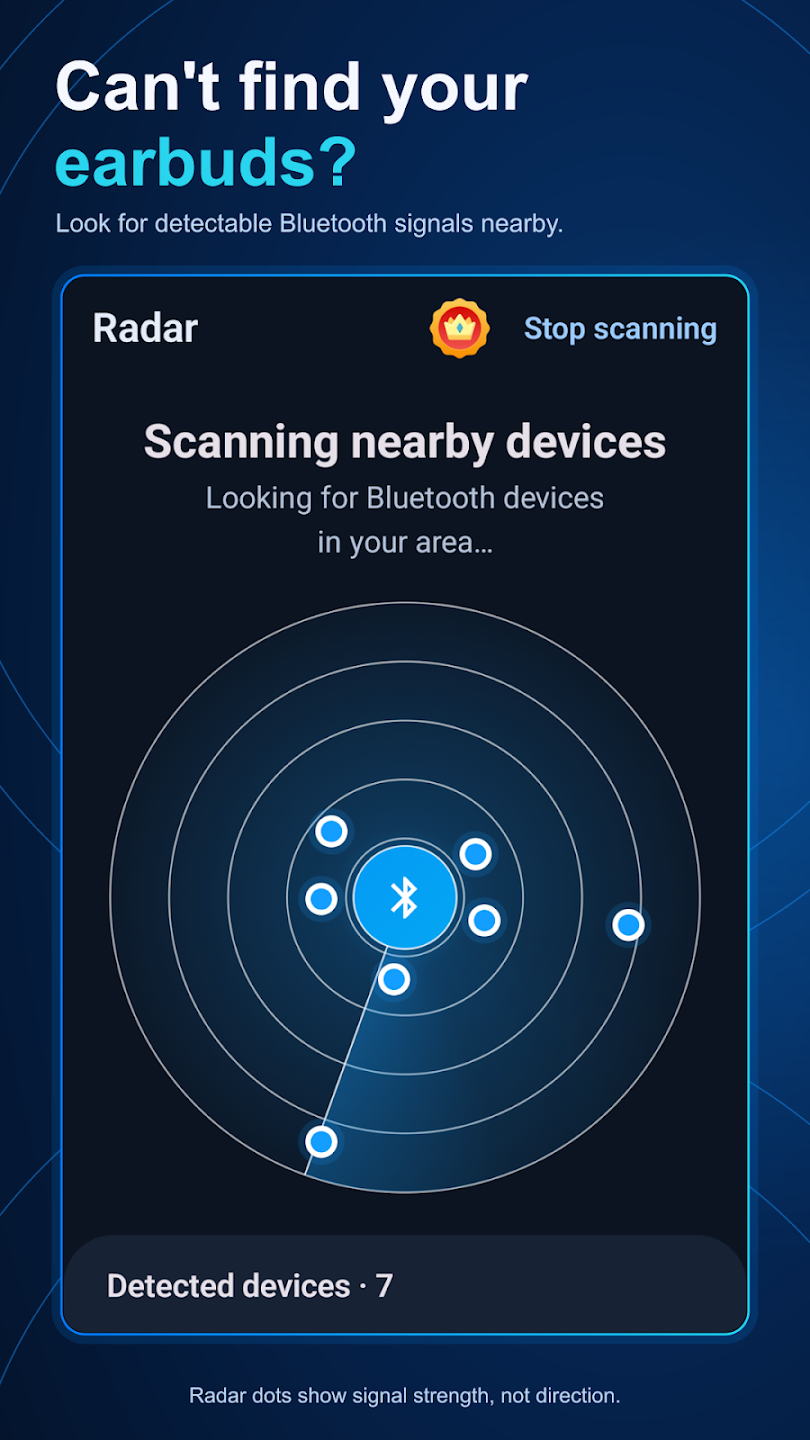
Earbud Finder: Bluetooth Radar searches for detectable nearby Bluetooth Low Energy signals. It also lets you save devices and review locally recorded history. A connected audio-device entry and a Radar result are different kinds of information.
- Open Radar and start scanning.
- Allow the Bluetooth access requested by your Android version. Follow the app’s setup instructions if the scan is empty.
- Select a result you can identify as your device. Names can be missing or generic; do not assume every unknown result is your earbud.
- Open the signal view and watch several readings before deciding where to move.
If your earbuds do not appear, check the setup and permissions help. Being able to play audio through Bluetooth does not guarantee that a device also emits a signal the Radar scan can use.
Search one area at a time
Keep the phone at a similar height and orientation, move a few steps, then pause to compare several readings. A trend toward a stronger signal can suggest a better place to search. Recheck the trend before moving on: one jump is weak evidence.
Search the room in sections rather than walking in circles. Compare the desk, sofa, bag and doorway, then return to the stronger area for a physical check. Walls, your body and other objects can change the signal, so a stronger reading is a clue, not a direction arrow.
When the reading becomes stronger, inspect the likely hiding places slowly. If you recover the device, mark it as found; saving it can make a future result easier to recognize. Read our signal-strength guide for examples of dBm readings.
If the device never appears
Stop treating an empty scan as proof that the earbuds are elsewhere. They may be sleeping, out of range, unsupported or out of battery. Expanding the search area can help only if a detectable signal is available.
Use a manufacturer-supported finding feature if your model offers one, review any useful recorded last-seen information, and retrace your steps. Earbud Finder records Bluetooth observation times rather than GPS coordinates. See which finding methods work without GPS.
There is no guaranteed recovery method. Choose the next step from the evidence you have: an active connection, a scan result, a model-specific location feature or the last place you physically used the earbuds.
Try a nearby Bluetooth search.
Earbud Finder is free to download, with ads and optional purchases. Compatible devices must be powered on and broadcasting a detectable signal.
Get Earbud Finder on Google PlayRelated guides
Sources and further help
- Android’s Bluetooth scan signal-strength definition
- Bluetooth SIG: factors that affect Bluetooth range
- Google: prepare supported devices and accessories for Find Hub
- Earbud Finder setup and support
Reviewed October 13, 2026. Device behavior and available finding features vary by model, Android version and setup.